In practice
A software supplier wants to carry out an update. The new program files are deployed, but the application does not start straight away. The security software temporarily blocks the modified files. After a while, everything works again, but the supplier finds the situation undesirable. Particularly when an urgent bug fix needs to be installed, the supplier does not want to depend on a security check.
The supplier therefore asks an understandable question: could the application's installation folder be excluded from the security controls? It seems like a practical solution to a frustrating problem. But that question conceals a significant security risk. What happens if an infected file is distributed through that very same trusted software supplier?
A trusted supplier is not the same as trusted software
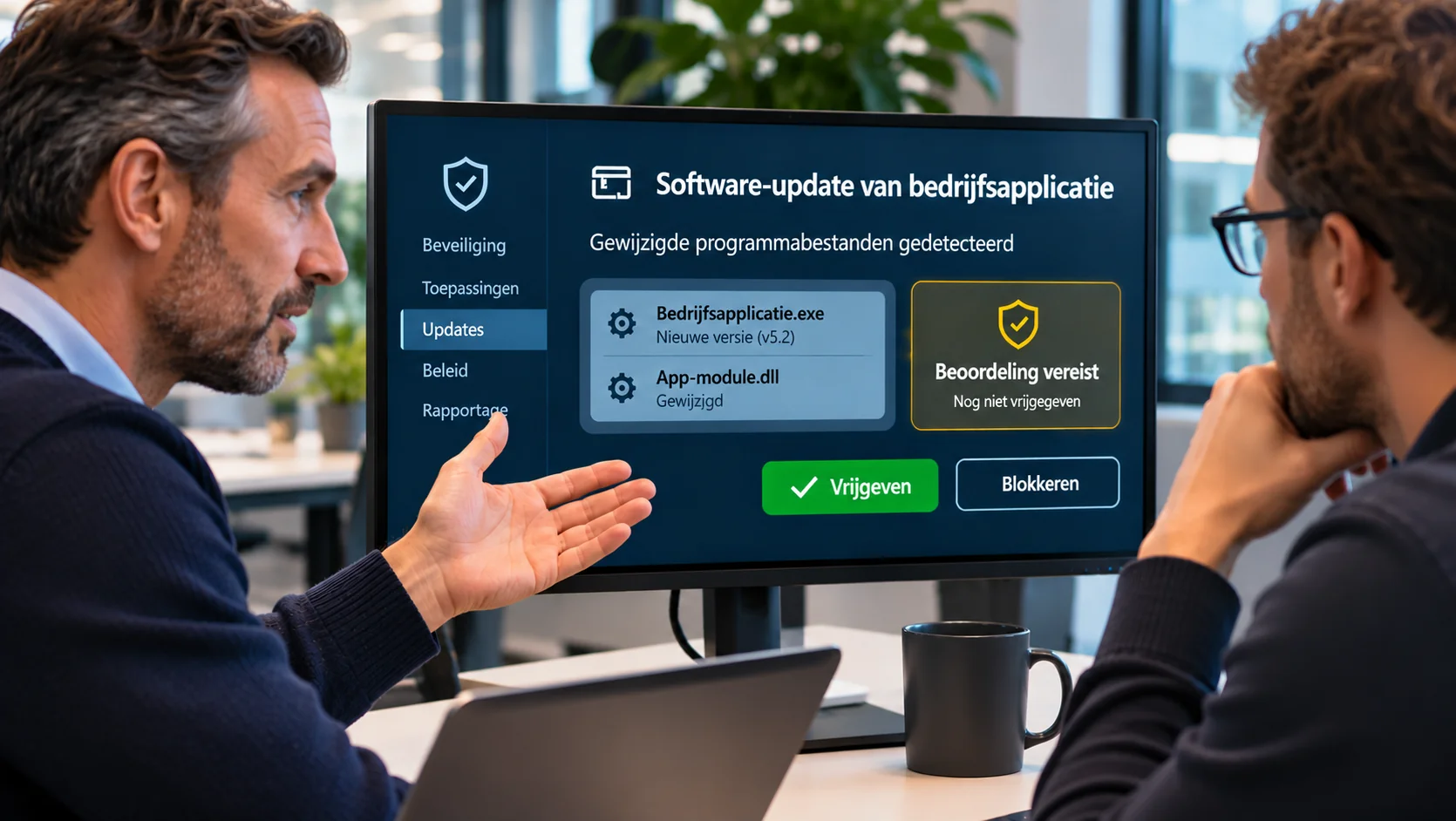
This situation arose at an organisation where an external supplier is responsible for a business application. To carry out maintenance, the supplier regularly needs to replace program files and restart services. Malenco protects the IT environment with a solution that does not simply allow unknown or modified program files to run. New versions are assessed before they are allowed to run.
When the supplier replaced files during maintenance, a service was temporarily blocked from starting. The supplier suspected that the security software was responsible and asked whether an exception could be configured for the application folder concerned. From the supplier's perspective, that made sense. A software supplier needs to be able to carry out maintenance and act quickly when problems arise. A security measure that unexpectedly holds up an update can then feel like an obstacle.
Yet excluding the entire application folder would remove a substantial part of the protection. The issue is not that Malenco distrusts the supplier. The issue is that nobody can guarantee that a new program file is safe based solely on its origin or file name.
Even a reliable supplier can suffer a security incident. If attackers gain access to a development environment, a distribution process or a software update, infected files can be distributed through a channel that appears entirely legitimate to customers. But the risk can also arise within the customer’s own IT environment. If attackers gain access there and have sufficient permissions, they can replace an existing program file in the application folder with an infected version. The file name and location may remain the same even though the contents have changed. A blanket exception for that folder may then also exclude the replacement file from the security check concerned. That is precisely why it must be possible to check software from trusted suppliers too, regardless of whether a change comes through the supplier or takes place within the customer’s environment.
Why a new version is assessed again
The security solution in use takes a zero-trust approach to application execution. Rather than looking only at a program's name or its supplier, it considers the specific file being run. A new version of a program is technically a different file from the previous version. Even when both files have the same name and appear to come from the same supplier, that does not automatically mean the new version is safe. The security solution may therefore temporarily block a modified file until it has been classified. This assessment helps prevent unknown or potentially harmful software from running immediately.
This is not a theoretical risk. Known software supply chain attacks have previously involved compromised updates distributed through trusted software products. Users thought they were installing a normal update, while attackers were using it to try to gain access to systems.
A blanket exception for an application folder would largely bypass this check. New or modified files at that location would then be assessed less strictly, regardless of how they got there. A practical solution for the update process would thus also become a potential weakness in the security controls.
Security should not become an unexpected obstacle
This does not mean that a supplier should simply have to wait until a security check is complete. In the correspondence, the supplier rightly pointed out that delays in installing bug fixes can be undesirable. When a business application is not functioning properly, it may be necessary to roll out a new version quickly.
Malenco therefore explained both why the security measure was necessary and how maintenance could remain workable within that policy. The agreement is that the supplier contacts Malenco in advance when new program files are to be installed. Malenco can prepare accordingly and approve the specific new versions. This prevents the supplier from having to wait unnecessarily for a classification process during planned maintenance.
The protection remains in place, while the work is better coordinated. This requires a little more preparation and communication. But it prevents time pressure during a software change from leading to a permanent security exception.
The real question is who retains control
This situation shows that security is not just a technical matter. It also involves responsibilities and agreements between parties. An application supplier is responsible for keeping its software functioning and maintained. At the same time, the IT administrator must ensure that changes do not introduce unnecessary risks into the customer's IT environment. Those interests need not conflict. They simply need to be properly coordinated.
When a supplier can independently arrange for security exceptions to be added, there is a risk that the environment's protection will gradually be eroded. After all, every exception has an understandable reason: an update that does not work, an application that slows down or a maintenance window under pressure. Individually, such requests often seem reasonable. Collectively, however, they can lead to an environment with progressively less control over which software runs.
Good IT management therefore means that someone maintains an overview, assesses the risks and arranges alternatives where necessary. The purpose is to ensure that suppliers can carry out their work safely, rather than to make their work difficult.
What this situation teaches us
In this real-world case, the simplest solution would have been to add an exception to the security software. That would probably have resolved the supplier's immediate problem. Malenco chose to uphold the agreed security policy and improve coordination around software updates.
That is an important distinction. Purchasing and installing a security solution is one thing. Ensuring that its protection remains effective as suppliers, applications and business processes change requires active management and clear oversight. For business owners, that ongoing responsibility is particularly important. They need to trust that their applications will remain available, and that security will not be set aside whenever a practical obstacle arises.
Good IT management does not mean pitting security against practical needs. It means that someone takes responsibility for making both work.