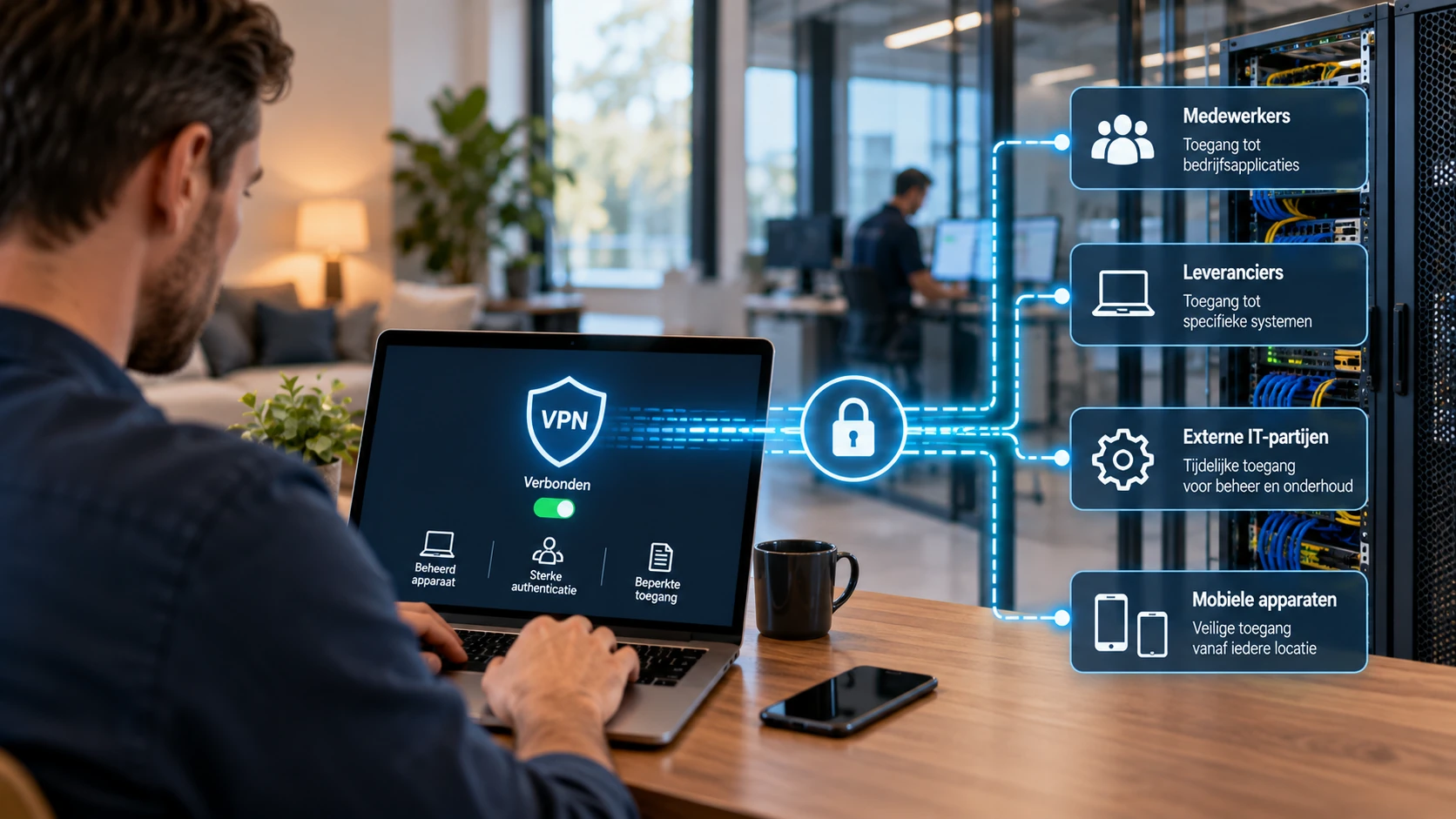
An employee works from home and connects to the company network. A supplier needs to carry out maintenance on a production system remotely. An external IT specialist is given temporary access to investigate a fault. In all these situations, access is needed to systems beyond the user's immediate reach. A VPN connection is a common way to enable that access, but it does not determine which systems someone may access or under what conditions.
For organisations, remote access has become a normal part of business operations. Employees work from different locations and use a variety of devices, while suppliers increasingly provide support remotely. This makes it important not only to secure the connection, but also to establish who is given access, from which device, to which systems and for how long. Without this coordinated approach, a technically well-secured connection can still provide more access than necessary.
A secure connection is not the same as secure access
A Virtual Private Network (VPN) creates an encrypted connection between a device and a network or specific service. This protects network traffic against unauthorised interception or manipulation in transit. It is an important security measure, particularly when employees connect through an external network, for example from home, a hotel or another work location.
However, encryption says nothing about the trustworthiness of the user or device at the other end of the connection. If someone has valid login credentials, a VPN can establish a technically correct connection even if those credentials have been stolen. Nor does encryption prevent an infected computer from gaining access to internal systems through the VPN. The security of the connection and the security of access therefore need to be assessed separately.
VPN solutions can also be configured in different ways. Some provide access to large parts of the internal network after sign-in, while others restrict access to specific systems or applications. This distinction plays a major role in determining the consequences of an account or device being misused.
Not everyone needs the same access
An employee in the administration department needs different systems from a service technician, system administrator or external software supplier. Yet in practice, VPN connections are sometimes configured for technical simplicity: once someone is connected, several internal networks become accessible. This may seem convenient, but it increases the opportunities to reach other systems from a single point of access.
A better approach starts with the work someone needs to perform. An employee who only uses a business application generally does not need access to network equipment or the servers running that application. A supplier maintaining a specific machine has no reason to access other production systems or office environments. Restricting access to what is necessary for the task prevents a single connection from unintentionally providing access to a much larger part of the infrastructure.
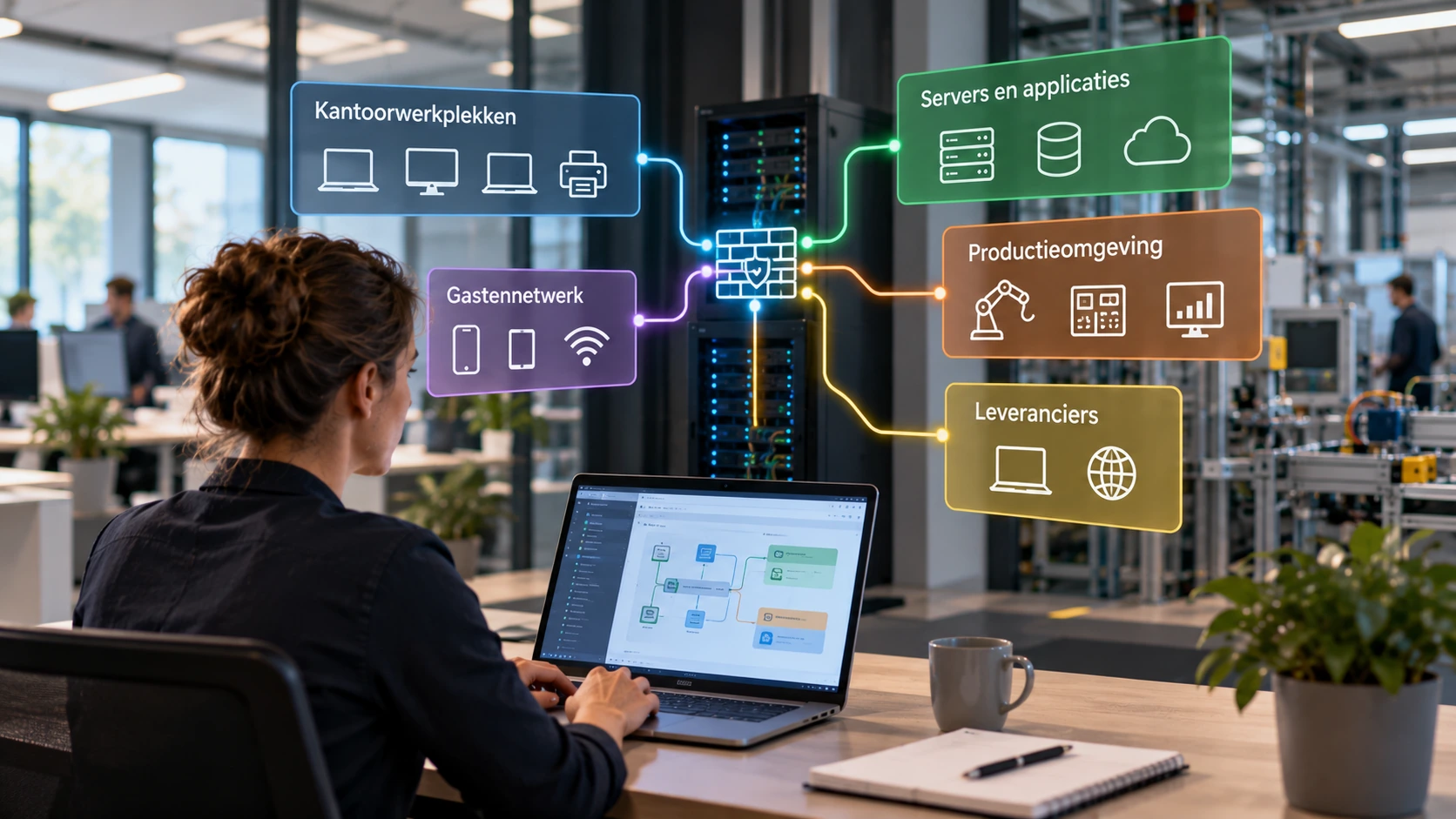
This ties in with network segmentation. Segmentation makes it possible to separate different parts of a network and deliberately allow or block communication between them. For remote access, this means determining not only who may establish a connection, but also which systems they can actually reach afterwards.
Working from home also requires attention to the device
When employees work from home, attention often centres on the connection to the office. But the security of the home workstation is just as relevant. A company laptop that is centrally managed, regularly receives security updates and has appropriate security software offers different opportunities for oversight from a personal computer whose security status is unknown to the organisation.
This does not mean personal devices are inherently unsafe. An organisation does, however, need to make a considered decision about what access is appropriate from such devices. A personal computer may, for example, be shared with family members, run outdated software or contain programs outside the organisation's management. When such a device is given direct access to internal systems through a VPN, the organisation becomes dependent on a level of security it may be unable to assess.
For certain tasks, access through a managed workstation, a secure virtual desktop or an application-specific solution may therefore be more appropriate than a broad network connection. Smartphones and tablets also deserve attention. Devices differ in their security capabilities, and not every application requires full access to the company network. The chosen access solution needs to suit both the device and the work involved.
Identity, device and access rights belong together
A secure remote access setup consists of several complementary measures. The user's identity must be established with sufficient confidence, the device used must meet the acceptable level of risk, and permissions must remain limited to the necessary systems and actions.
Strong authentication is an important starting point. Multifactor authentication (MFA) makes it harder to gain access using stolen login credentials alone. But MFA is not a complete solution to every form of account misuse. Sessions, devices and access rights also need to be protected and checked.
Device checks can help make access conditional on, for example, up-to-date security patches, enabled disk encryption or a functioning security solution. Not every VPN supports such checks directly, and not every device can be managed in the same way. It is therefore necessary to determine in advance which security requirements are appropriate and technically enforceable.
Restricted access rights ensure that, after signing in, a user can reach only the systems they need. This requires coordination between identity and access management, network segmentation and the configuration of the access technology in use. After all, a well-designed sign-in process has limited value if almost the entire internal network is accessible afterwards.
Supplier access requires separate agreements
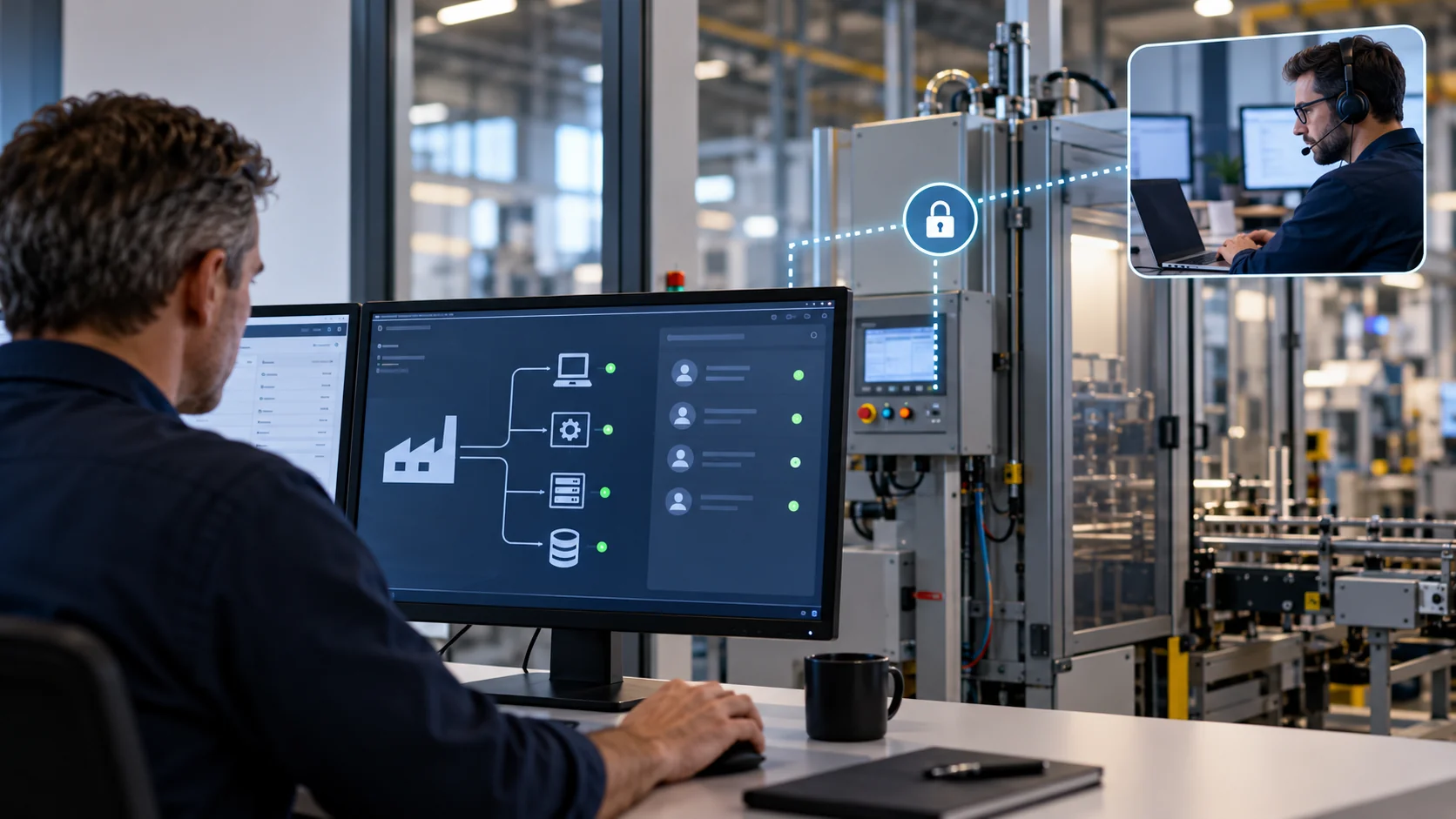
External suppliers are a distinct group. They sometimes need extensive technical privileges, for example to maintain machinery, business applications or network services. At the same time, their employees and equipment are not always directly managed by the organisation for which they carry out work.
A supplier may also work for several customers and use its own management platforms, accounts and support software. It is therefore important to establish in advance how access is granted, who authorises it and how the organisation maintains visibility of its use. A permanent VPN connection with broad network access is not necessarily the most suitable solution for work that takes place only occasionally.
Responsibilities also matter when it comes to supplier access. Who determines which permissions are necessary? Is access automatically terminated when an assignment is completed? Can individual supplier employees be identified, or is a single shared account used? And who assesses whether the permissions granted remain appropriate over time?
Technical measures can impose many restrictions, but they do not resolve these organisational questions. Secure supplier access therefore requires clear agreements between the organisation, the supplier and the party responsible for IT management.
A VPN is not the best solution for every application
A VPN is a proven and useful technology, but not every form of remote access needs to use a traditional network connection. For employees who mainly use cloud applications, direct access to those applications with strong authentication and appropriate device management may be sufficient. A connection to the internal company network does not always add value in that situation.
For other applications, an application-specific access solution may be more suitable. This gives a user access to a specific application or service without making the underlying network broadly accessible. Such solutions are often part of a Zero Trust Network Access (ZTNA) approach, in which access is made conditional on identity, context and explicitly defined requirements.
This does not mean a traditional VPN needs to be replaced as soon as a new access model becomes available. In many organisations, VPN connections remain necessary, for example for administrative tasks, specific business applications or equipment that does not support more modern access mechanisms. The choice should be based on the application and the risks, rather than on whichever technology is attracting the most attention at the time.
Access needs to be managed after setup too
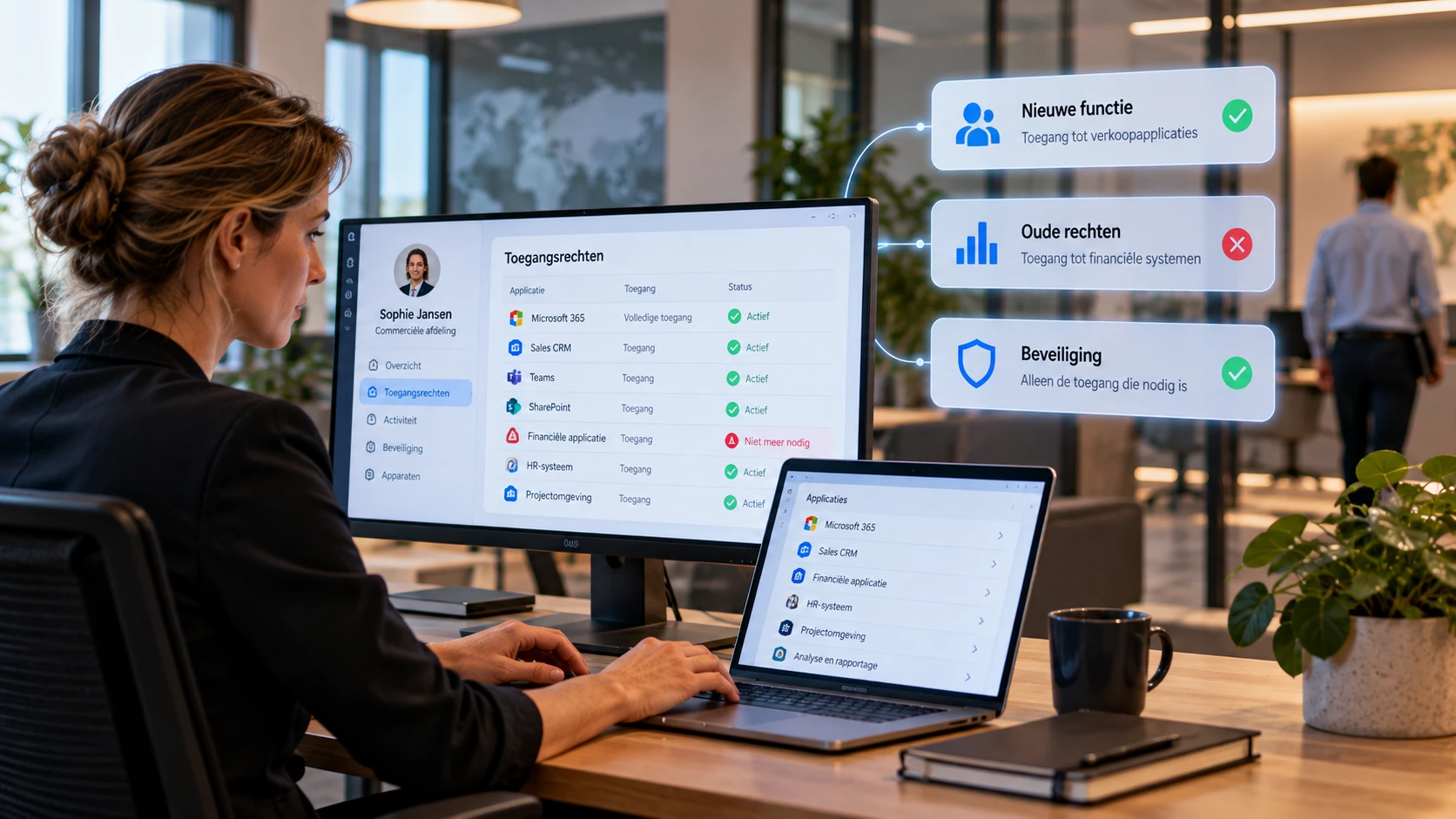
Remote access changes continually. Employees move into different roles, suppliers change their contact people, applications are replaced and temporary assignments come to an end. If access rights do not keep pace with these changes, accounts and connections can remain active when there is no longer a business need for them.
Regular reviews of remote access therefore belong within routine IT management. These reviews check which users and suppliers have access, which systems they can reach and whether those permissions still match their work. The use of the connections also deserves attention. Logging and monitoring can help identify unusual sign-ins, unexpected access attempts or connections outside the expected circumstances. These signals then require assessment and, where necessary, follow-up.
An important consideration is that the organisation needs to maintain visibility of access configured or managed by external parties. If a supplier can independently add connections and accounts without the responsible IT administrator being aware of them, the overall picture can gradually be lost.
Remote access is a matter of security and oversight
Whether a VPN is technically secure is an important question, but it is only part of the issue. An organisation also needs to know what remote access exists, why it is needed and who is responsible for granting, checking and terminating it. This applies to employees working from home, mobile devices, external administrators and suppliers of business-critical systems.
A well-designed access environment therefore combines secure connections with reliable identification, appropriate device security, restricted permissions and oversight of actual use. Not every user needs the same solution. By distinguishing between tasks, devices and risks, remote access can remain both secure and practical.
The aim is not to make remote access as difficult as possible, but to ensure that employees and suppliers can do their work without being given more access than is necessary for it.